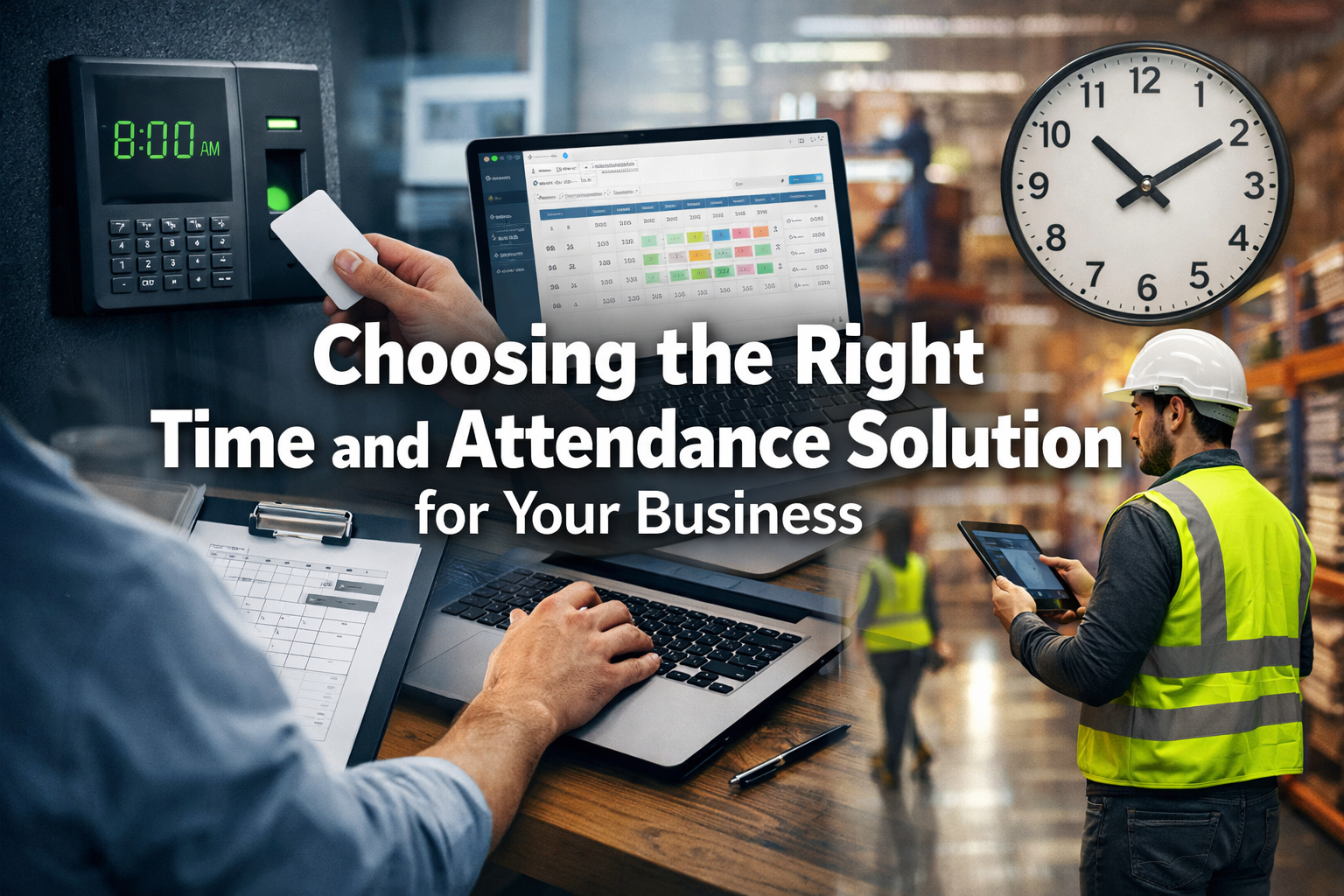
As the saying goes, time is money, particularly in the world of business. When considering the ideal employee time and attendance solution for a company, it’s crucial to remember that what’s perfect for one may not suit another. Factors such as the size of the workforce, business operations, and specific industry requirements can all influence the ultimate decision. So, how does one navigate through the plethora of options available, find an efficient system that’s user-friendly, and ensure it’s a perfect fit for their business? Stay tuned as we sift through the intricacies of this decision-making process. This comprehensive guide will illuminate the path to choosing the right time and attendance solution for your business in 2026, ensuring optimal efficiency and compliance.
Key Takeaways
Understand your business needs, including workforce size, growth projections, and work patterns, before choosing a time and attendance solution.
Evaluate different types of solutions, from physical time clocks to mobile systems, to find one that suits your business operations.
Implementing effective time management systems can enhance productivity, promote accountability, and ensure legal compliance.
Customize your chosen system for your unique operational demands and integrate it seamlessly with existing software for maximum efficiency.
Proactively research vendors, consider scalability, and plan for user training to ensure a smooth transition and long-term success with your chosen system.
Understanding Time and Attendance Systems
Before delving into the various options available, it’s crucial to grasp what time and attendance systems are and how they can streamline your business operations. Essentially, they’re digital solutions that accurately track and record employee hours. They’re designed to replace traditional manual timekeeping methods, reducing errors and ensuring compliance with labor laws. These systems are foundational for efficient workforce management in 2026, especially as businesses continue to adapt to hybrid and remote work models.
These systems aren’t merely about clocking in and out. They provide comprehensive data, offering insights into labor costs, overtime, and absenteeism. They can even integrate with payroll systems, automating the process and saving valuable time. This integration is a game-changer, eliminating duplicate data entry and minimizing the risk of human error in payroll processing. Imagine the time saved by your HR and payroll departments when employee hours automatically flow into the pay calculation system! This not only speeds up the process but also enhances accuracy, leading to happier employees and fewer discrepancies.
Moreover, they’re flexible and adaptable. Whether it’s a small business with a handful of employees or a large corporation with hundreds, there’s a system to suit every need. They’re available as on-premise solutions, hosted services, or cloud-based software, offering a range of accessibility and storage options. The evolution of cloud technology has made these systems more accessible and affordable than ever, allowing businesses of all sizes to leverage sophisticated timekeeping tools without significant upfront infrastructure investment. For instance, a small startup might opt for a simple cloud-based system that grows with them, while a large enterprise might require a more robust, customizable solution with extensive reporting capabilities.
Accurate Time Tracking: Ability to track regular hours, overtime, breaks, and paid time off (PTO).
Automated Calculations: Automatically calculates gross wages based on hours worked and pay rates.
Reporting and Analytics: Provides insights into labor costs, absenteeism, and productivity.
Integration Capabilities: Seamlessly connects with payroll, HRIS (Human Resources Information System), and project management software.
Compliance Features: Helps ensure adherence to federal, state, and local labor laws, including minimum wage, overtime rules, and meal/rest break requirements.
Employee Self-Service: Allows employees to view their hours, request time off, and access pay stubs, reducing administrative burden.
Scalability: Can grow and adapt as your business expands and its needs evolve.
Understanding these core functionalities is the first step in choosing the right time and attendance solution for your business in 2026. It’s about looking beyond simple time recording and recognizing the strategic value these systems bring to overall operational efficiency and employee management.
Evaluating Your Business Needs: Choosing the Right Time and Attendance Solution
To select the right time and attendance system, you’ll need to evaluate your business needs carefully. This involves analyzing your current workforce, size, and growth projections. It’s crucial to understand how many employees you have, their work patterns, shift routines, and the complexity of your payroll calculations. These factors will greatly influence the type of system you’ll need. For example, a retail business with many part-time staff and rotating shifts will have vastly different requirements than a tech company with mostly salaried employees working standard hours. Considering these nuances is paramount when choosing the right time and attendance solution for your business.
Additionally, you’ll have to consider if you have remote workers or multiple locations. A cloud-based system may be more suitable if you’re operating in various locations or have a significant number of employees working remotely. Cloud solutions offer flexibility, allowing employees to clock in and out from approved devices anywhere with an internet connection, which is essential in today’s increasingly distributed work environments. On the other hand, a traditional on-premises system could work better for a single-site operation with a stable workforce that values keeping all data within its internal network for heightened security or specific regulatory reasons.
Moreover, you should consider the level of customization you’ll need. Some systems offer out-of-the-box solutions that may not be flexible enough to accommodate unique business requirements. Others provide customizable features that can adapt to your specific needs, such as unique pay rules for different departments, custom report generation, or integration with industry-specific software. Don’t forget about your budget – sophisticated customization often comes with a higher price tag. It’s about finding the sweet spot between functionality, flexibility, and cost-effectiveness. A thorough needs assessment will prevent you from overpaying for features you don’t need or underinvesting in critical functionalities.
Questions to Ask During Your Needs Assessment:
Workforce Demographics:
How many employees do you have currently?
What are your growth projections for the next 1-3 years?
Do you have a mix of full-time, part-time, temporary, or contract employees?
Are employees paid hourly, salaried, or on commission?
Work Patterns:
Do employees work fixed shifts, rotating shifts, or flexible hours?
Are there specific rules for meal breaks, rest breaks, or overtime?
Do employees frequently work off-site or remotely?
How do you currently manage time off requests (vacation, sick leave, PTO)?
Operational Footprint:
Do you operate from a single location or multiple sites?
Are any of your locations international?
What is your current infrastructure (on-premise servers, cloud preference)?
Integration & Reporting:
What existing software do you use for payroll, HR, and project management?
What types of reports are critical for your business (e.g., labor cost analysis, absenteeism rates, compliance reports)?
How important is employee self-service functionality?
Budget & Resources:
What is your allocated budget for purchasing and implementing a new system?
Do you have IT resources available for system setup and ongoing maintenance?
What is your desired timeframe for implementation?
By thoroughly answering these questions, you will build a clear profile of your business’s requirements, making the process of choosing the right time and attendance solution significantly more targeted and effective.
Exploring Different Solution Types: Choosing the Right Time and Attendance Solution
Now, let’s delve into the various types of time and attendance solutions that you can consider for your business. It’s crucial to understand that not all systems are created equal, and the right choice largely depends on your company’s specific needs when choosing the right time and attendance solution. Each type offers distinct advantages and disadvantages, making a careful assessment essential.
Firstly, there are physical time clocks. They’ve been around for decades and can range from traditional punch card models to modern digital ones. These are often seen in manufacturing, retail, or hospitality environments where employees start and end their shifts at a fixed location. They’re straightforward but can be susceptible to time theft or ‘buddy punching’ where one employee clocks in for another. While some modern physical clocks incorporate basic biometric features or PIN entry to mitigate this, they still require a physical presence.
Pros: Simple to use, low initial cost for basic models, tangible record.
Cons: Prone to buddy punching, data entry errors for payroll, limited reporting, no remote access.
Next, there are computer-based systems. These require employees to log in and out via a computer, often through a dedicated portal or an integrated HR system. They offer improved accuracy over physical clocks and can provide more detailed reporting. They are common in office environments, call centers, or any setting where employees consistently work at a computer. However, they require trust in employees not to falsify their hours, as an employee could theoretically log in from their desk and then leave the premises.
Pros: More accurate than manual methods, enhanced reporting, often part of broader HR software.
Cons: Requires employees to be at a computer, still susceptible to proxy clocking, potential for system downtime.
Thirdly, there are biometric systems. These use unique biological characteristics, like fingerprints, facial scans, or eye scans, to track attendance. They’re highly accurate and virtually eliminate the risk of time theft, making them a robust option for secure and precise timekeeping. While they can be costly to implement initially, the long-term savings from preventing time fraud and improving accuracy can be substantial. Biometric systems are increasingly popular in various industries, from healthcare to construction, where precise attendance records are critical.
Cons: Higher initial cost, potential privacy concerns, some employees might be uncomfortable with biometric data collection, can be affected by physical changes (e.g., cuts on fingers).
Lastly, there are mobile and web-based systems. These allow employees to clock in and out from anywhere using a mobile device (smartphone, tablet) or any computer with internet access. They’re ideal for remote teams, field service employees, employees working at multiple client sites, or businesses with a significant number of employees working flexible schedules. These systems often include features like GPS tracking to verify employee location at the time of clock-in/out, providing an added layer of accountability. They do, however, require reliable internet access for consistent operation.
Pros: Extreme flexibility for remote/mobile workforces, real-time data, often include GPS tracking, accessible from multiple devices, scalable.
Cons: Requires reliable internet access, potential for “geofencing” issues in fringe areas, may require employees to use personal devices or company-provided devices.
Solution Type
Best Suited For
Key Advantage
Key Disadvantage
Physical Time Clocks
Single-site operations, blue-collar industries
Simple, tangible record
Prone to buddy punching, limited features
Computer-Based
Office environments, employees at fixed workstations
More accurate than manual, better reporting
Susceptible to proxy clocking, lacks mobility
Biometric Systems
High-security needs, industries with strict compliance
Eliminates time theft, highly accurate
Higher cost, potential privacy concerns
Mobile/Web-Based
Remote teams, field service, multiple locations
Maximum flexibility, real-time data
Requires internet, potential for GPS issues
By carefully weighing the pros and cons of each solution type against your specific business needs and operational context, you can make an informed decision when choosing the right time and attendance solution for your business in 2026.
Benefits of Effective Time Management
Choosing the right time and attendance solution sets the stage for effective time management, which offers a myriad of benefits to your business. Notably, it enhances productivity. With a clear picture of when employees clock in and out, management can better allocate resources, improving efficiency across all departments. It’s a system that’ll eliminate unnecessary overtime costs by providing real-time data on hours worked and ensuring that workloads are balanced to avoid burnout. When employees know their time is being tracked accurately, they tend to be more focused and make better use of their working hours, leading to higher output and better quality work.
Moreover, it increases accountability. Employees are aware that their attendance is tracked, thus promoting punctuality and discouraging dishonesty. This transparency fosters a culture of responsibility, where everyone’s time is respected, and expectations are clear. Accountability isn’t just about preventing fraud; it’s also about empowering employees to take ownership of their schedules and contributions. When employees have visibility into their own time records, it encourages self-management and reduces disputes over paychecks.
Additionally, it boosts morale. A well-managed time and attendance system demonstrates that the company values its employees’ time by ensuring fair pay and transparent processes. In turn, this leads to improved job satisfaction and employee retention. When employees feel they are being accurately compensated for their work and that the company is investing in fair, modern tools, their trust and loyalty naturally increase. This positive environment reduces stress related to payroll errors and allows employees to focus on their work rather than worrying about administrative issues.
Lastly, it ensures legal compliance. Inaccurate timekeeping can lead to labor law violations, resulting in hefty fines, costly lawsuits, and damage to your company’s reputation. With an effective system in place, businesses can avoid these pitfalls by maintaining precise records that stand up to audits. This is particularly critical in 2026, with evolving labor laws and increased scrutiny. A robust time and attendance solution helps you adhere to minimum wage laws, overtime regulations, meal and rest break compliance, and accurate record-keeping mandates, thereby protecting your business from legal risks.
Quantifiable Impacts of Effective Time Management:
Reduced Overtime Costs: By tracking hours meticulously, managers can identify and address unauthorized overtime proactively.
Minimized Payroll Errors: Automated calculations and integrations significantly cut down on manual data entry mistakes.
Improved Budgeting: Accurate labor cost data allows for more precise financial forecasting and resource planning.
Enhanced Decision-Making: Insights into attendance patterns, punctuality, and productivity empower managers to make data-driven decisions regarding staffing and operational adjustments.
Better Employee Relations: Fair and transparent timekeeping reduces pay disputes and builds trust.
In essence, a well-chosen time and attendance solution is not just a tracking tool. It’s an investment that yields significant returns in productivity, accountability, morale, and legal compliance. It’s a cornerstone of effective time management that propels businesses forward, making choosing the right time and attendance solution a strategic imperative.
Tailoring the System to Your Needs: Choosing the Right Time and Attendance Solution
In the face of varying business needs, it’s essential to customize your time and attendance system to ensure it’s fit for purpose. One size doesn’t fit all, and a system that isn’t fine-tuned to a company’s specific requirements can lead to inefficiencies, frustrations, and missed opportunities. The power of a truly effective time and attendance solution lies in its ability to adapt to your unique operational DNA. This proactive approach to customization is a critical step when choosing the right time and attendance solution for your business.
To tailor a system to one’s needs, it’s crucial to first thoroughly understand the business’s unique operational demands. This includes the kind of employees it has (full-time, part-time, remote, contractors), its peak hours, and the complexity of its shift patterns. For instance, a hospital requires sophisticated scheduling features to manage 24/7 operations and specific certifications for staff, whereas a marketing agency might prioritize project-based time tracking. The chosen system should be flexible enough to accommodate these factors, offering configurable rules for different employee groups, departments, or projects. Consider if the system can handle things like:
Complex Overtime Rules: Does it support daily, weekly, and consecutive day overtime calculations, as well as specific state regulations?
Holiday Pay & Premium Rates: Can it automatically apply different pay rates for holidays or specific shifts?
Accrual Policies: Can it manage various PTO, sick leave, and vacation accrual policies based on employee tenure or type?
Departmental Cost Codes: Can it assign time to different departments or cost centers for accurate labor costing?
Next, consider the data the system provides. It should be able to deliver useful insights, like an employee’s tardiness patterns, overtime trends, or potential compliance issues. This information can help management make informed decisions regarding staffing adjustments, policy changes, and performance management. Look for robust reporting capabilities that offer customizable dashboards and exports, allowing you to slice and dice data in meaningful ways. Good reporting can highlight areas of inefficiency, identify top performers, and even predict future staffing needs. For example, consistent overtime in a specific department might indicate understaffing or inefficient processes.
Lastly, the system should integrate seamlessly with existing software, such as payroll or HR systems. This ensures continuity and eliminates the need for duplicate data entry, which is a common source of errors and administrative overhead. Integration creates a unified ecosystem where data flows freely and accurately between different platforms, maximizing efficiency and minimizing manual intervention. Before committing to a solution, inquire about its API capabilities and pre-built integrations with your current tech stack. A system that integrates well will become a central hub for your workforce management data, making processes smoother and more reliable.
Key Customization and Integration Considerations:
Configurable Rules: Ability to set up specific rules for different employee types, departments, or projects.
Custom Reporting: Flexibility to generate reports tailored to your key performance indicators (KPIs) and compliance needs.
Role-Based Access: Granular control over who can view and edit time data, ensuring data security and privacy.
Payroll Integration: Direct transfer of hours to your payroll provider (e.g., ADP, Gusto, QuickBooks Payroll) for automated processing.
HRIS/HRM Integration: Sync employee data, such as new hires, terminations, and department changes, with your Human Resources Information System.
Project Management Software Integration: For businesses that track time against projects, integration with tools like Asana, Jira, or Trello can provide a complete picture of project labor costs.
By carefully considering these aspects, businesses can ensure they are choosing the right time and attendance solution that truly supports their unique operations and strategic goals, rather than forcing their operations to fit a generic system.
Seamless Implementation and Comprehensive Training
Once you have identified and chosen the right time and attendance solution for your business, the next critical phase is implementation and ensuring your team is fully equipped to use it. A flawless system can still falter if employees and managers are not adequately trained.
Strategic Implementation Steps:
Pilot Program: Before a full rollout, consider implementing the system with a small group of employees or a single department. This pilot phase allows you to identify and resolve any unforeseen issues, gather feedback, and fine-tune settings before affecting the entire workforce. It’s an excellent opportunity to test integrations and ensure data accuracy in a controlled environment.
Data Migration: Plan carefully for the transfer of existing employee data, historical attendance records (if needed), and payroll information into the new system. Work closely with your vendor to ensure data integrity and avoid any loss during this crucial step. Automated migration tools offered by vendors can significantly streamline this process.
Configuration and Setup: This involves setting up specific rules, policies, and parameters tailored to your business needs, as discussed in the previous section. This includes defining work schedules, overtime rules, PTO accrual policies, approval workflows, and user roles and permissions. This is where the customization truly comes to life.
Integration Testing: Verify that the new time and attendance system communicates seamlessly with your existing payroll, HRIS, or accounting software. Conduct thorough testing to ensure that data flows accurately and efficiently between all integrated platforms, preventing discrepancies and manual reconciliation headaches.
Empowering Your Team Through Training:
Even the most intuitive system requires proper training for optimal adoption and usage. Comprehensive training ensures that all users—from hourly employees to department managers and HR administrators—understand their roles and responsibilities within the new system.
Tiered Training Approach:
Employee Training: Focus on the basics: how to clock in/out, submit time-off requests, view their schedules, and check their timecards. Provide clear, concise guides and offer hands-on sessions.
Manager Training: Equip managers with the skills to approve timecards, manage schedules, review attendance reports, handle exceptions, and navigate employee queries. Emphasize how the system provides insights to help them manage their teams more effectively.
HR/Administrator Training: Provide in-depth training on system configuration, generating detailed reports, managing compliance settings, troubleshooting common issues, and leveraging advanced features like labor forecasting.
Training Materials: Develop a range of resources, including:
User Manuals/Guides: Step-by-step instructions with screenshots.
Video Tutorials: Short, engaging videos demonstrating key functionalities.
FAQs: A searchable database of common questions and answers.
Quick Reference Cards: Printable cards for essential tasks.
Ongoing Support: Establish a clear support channel for users to report issues or ask questions after the initial training. This could be an internal IT help desk, HR contact, or direct access to vendor support. Regular refresher training sessions or webinars can also be beneficial, especially as new features are rolled out or policies change.
A well-executed implementation and thorough training program are vital for maximizing your investment in a time and attendance solution. It transforms a mere software purchase into a fully integrated, smoothly operating system that genuinely benefits your entire organization.
Vendor Selection and Long-Term Considerations
Choosing the right time and attendance solution is not just about the software itself, but also about the relationship with the vendor and the long-term viability of the partnership. A smart decision involves looking beyond immediate needs to future growth and support.
Key Factors in Vendor Selection:
Reputation and Experience: Research vendors with a proven track record in the time and attendance industry. Look for testimonials, case studies, and industry awards. A vendor with extensive experience is more likely to understand common business challenges and provide robust, reliable solutions.
Customer Support: What kind of support does the vendor offer? Is it 24/7, phone, email, or chat-based? How quickly do they respond to issues? Excellent customer support is invaluable during implementation and ongoing use, especially when critical payroll cycles are involved. Don’t hesitate to ask for references regarding their support quality.
Security Measures: Given that time and attendance systems handle sensitive employee data, robust security is non-negotiable. Inquire about data encryption, access controls, compliance certifications (e.g., SOC 2, ISO 27001), and disaster recovery protocols. Cloud-based solutions, in particular, should have strong measures to protect your data.
Scalability: Can the system grow with your business? If you anticipate expanding your workforce, opening new locations, or introducing more complex shift patterns, ensure the solution can scale without requiring a complete overhaul. This adaptability is crucial for long-term cost-effectiveness.
Pricing Structure: Understand the vendor’s pricing model. Is it per-employee, per-module, or a tiered system? Are there hidden costs for implementation, training, support, or upgrades? A clear understanding of the total cost of ownership (TCO) is essential for budgeting.
Future Development and Roadmaps: A good vendor continuously invests in research and development. Ask about their product roadmap. Are they planning new features, integrations, or technological advancements that could benefit your business in the future? This indicates a forward-thinking partner.
User Experience (UX): A system, no matter how powerful, is only as good as its usability. Request demos and involve actual end-users (employees, managers) in testing the interface. An intuitive and user-friendly system will lead to higher adoption rates and less frustration.
Long-Term Considerations for Your Business:
Regulatory Changes: Labor laws and compliance requirements are constantly evolving. Will the vendor’s system automatically update to reflect these changes, or will your business be responsible for manually configuring them? This is a significant factor, especially in 2026, with the dynamic legal landscape.
Technological Advancements: The pace of technological change is rapid. Will the system remain compatible with new operating systems, mobile devices, and emerging technologies (e.g., AI in workforce management)? Partnering with a vendor that is committed to innovation will help future-proof your investment.
Employee Feedback Loop: Establish an internal process for collecting feedback from employees and managers about the system. This continuous feedback can help you identify areas for improvement, additional training needs, or potential optimizations that can be discussed with your vendor.
By meticulously evaluating these vendor-related and long-term factors, you’re not just choosing a software product; you’re forging a strategic partnership that will support your business’s efficiency and growth for years to come. This diligent approach is integral to choosing the right time and attendance solution for your business.
Conclusion
In conclusion, selecting the right time and attendance solution is pivotal for your business in 2026. It’s about understanding your company’s unique needs, thoroughly exploring the various types of systems available, and then reaping the extensive benefits of effective time management – from enhanced productivity and accountability to robust legal compliance. Remember, a one-size-fits-all approach won’t work. Your chosen solution must be carefully tailored to your specific operational demands, seamlessly integrated with existing software, and supported by a reliable vendor to foster efficiency and drive sustained productivity.
By taking a strategic approach that includes detailed needs assessment, careful vendor evaluation, meticulous implementation, and comprehensive user training, you can transform your time and attendance processes from a mere administrative task into a powerful tool that propels your business forward. Choosing the right time and attendance solution is an investment in your company’s future, ensuring fair practices, streamlined operations, and a strong foundation for growth. So, choose wisely and unlock the full potential of smart time and attendance management for your organization.
Marcin Wieclaw, the founder and administrator of PC Site since 2019, is a dedicated technology writer and enthusiast. With a passion for the latest developments in the tech world, Marcin has crafted PC Site into a trusted resource for technology insights. His expertise and commitment to demystifying complex technology topics have made the website a favored destination for both tech aficionados and professionals seeking to stay informed.